How to Write AI Video Prompts That Actually Move
A practical shot-building method for describing subject motion, camera movement, timing, light, and sound without turning the prompt into a screenplay.
 HelloA.ai Editorial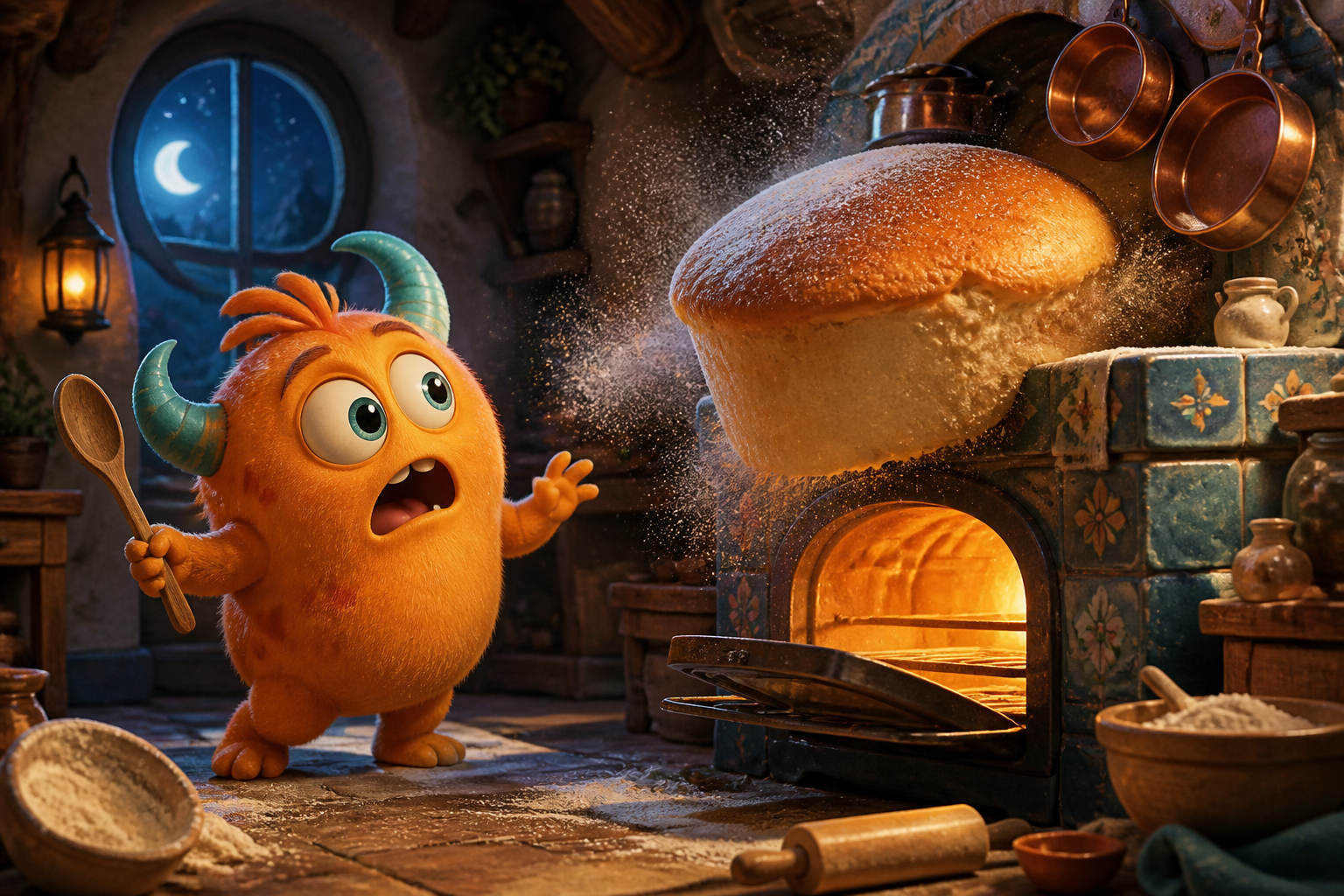
An image prompt describes what exists. A video prompt must also explain what changes. If the prompt contains a beautiful scene but no event, the model has to invent the motion—and invented motion is usually where drifting faces, rubber objects, and wandering cameras begin.
The fix is not a longer paragraph. It is a clearer shot.
Build the prompt in five decisions
Use this order:
Subject and place → visible action → camera → light and atmosphere → timing or sound.
Start with a weak prompt:
A cute orange monster in a magical bakery, cinematic 3D animation.
It describes a frame, not a clip. Now direct the shot:
A small orange monster stands beside a stone oven in a moonlit bakery. A round cake suddenly rises, releasing a soft burst of flour; the monster steps back, blinks twice, then grins. The camera makes a gentle waist-height push-in. Warm oven light, cool blue window light, playful family-animation timing, six seconds, no text.
Every clause now has a job. The subject acts, the camera has one move, the lighting has two sources, and the moment has an ending.
Give the subject one readable action
“Dancing, running, turning, laughing, and waving” is not richer direction. It is five actions competing for a few seconds. Choose the one action that changes the frame.
Good actions have a visible start and finish:
- opens an umbrella and looks up;
- steps onto the train as the doors close;
- raises a glass sphere into the sunlight;
- turns from the window and meets the camera;
- unfolds from paper into a flying dragon.
When a shot fails, simplify the action before changing the style.
Treat the camera like physical equipment
Camera language works best when it can be performed by a real operator. Pick one primary move:
- Locked-off: the camera does not move; motion comes from the subject.
- Push-in or pull-back: changes emotional distance.
- Track left or right: follows a subject through space.
- Orbit: reveals shape, scale, or environment around a still subject.
- Handheld follow: introduces energy and small natural movement.
- Crane or aerial rise: reveals a larger world at the end of the shot.
Avoid combining “rapid drone dive, orbit, handheld shake, and slow zoom.” Those instructions imply different rigs and different speeds.
Describe motion quality, not just motion type
The model needs to know how the movement behaves. Useful words include measured, weighty, buoyant, hesitant, wind-driven, mechanical, and barely perceptible.
Compare:
Flowers move in the wind.
with:
Tall poppies bend in slow uneven waves as a light desert wind passes from foreground to background; loose petals occasionally cross the lens.
The second version gives the motion direction, rhythm, and depth.
Use references to remove description, not add more
If you upload a first frame, the model can already see the character, wardrobe, palette, and composition. Do not spend half the prompt describing them again. Tell it what must change after that frame.
For first-frame generation:
Preserve the character design and bakery layout. The cake rises another foot and releases flour. The monster catches the spoon, looks at the cake, then smiles. Slow push-in, no new characters.
For reference-to-video, state the role of each asset: “use the image for character identity,” “use the audio for beat timing,” or “use the video for camera rhythm.” A reference without a named purpose can pull the generation in several directions at once.
Write sound as part of the event
For models with generated audio, sound belongs beside the action that creates it:
The tram brakes with a soft metallic squeal as the doors open; low station ambience continues underneath.
Keep dialogue short enough to fit the clip. Put exact words in quotation marks and avoid asking one character to deliver a paragraph inside an eight-second shot.
Diagnose the result before rewriting everything
- The subject drifts: add a first frame or reduce simultaneous action.
- The camera wanders: specify one move and remove competing camera words.
- Nothing happens: replace mood adjectives with a visible verb and an ending.
- Motion is too fast: describe a measured pace and reduce the number of beats.
- The scene mutates: say what must remain unchanged and shorten the transition.
- Audio is crowded: keep one foreground sound and one ambience bed.
Change one variable per generation. Otherwise, a better result will not tell you which instruction fixed it.
A reusable prompt pattern
[Framing] of [subject] in [place]. [One visible action with an ending]. The camera [one physical move]. [Motion quality and environmental response]. [Lighting and atmosphere]. [Sound if needed]. [Duration and essential constraints].
This is not a magic formula. It is a checklist that keeps the shot understandable. Try it in the generator, then save the prompt with the result that moved the way you intended.